
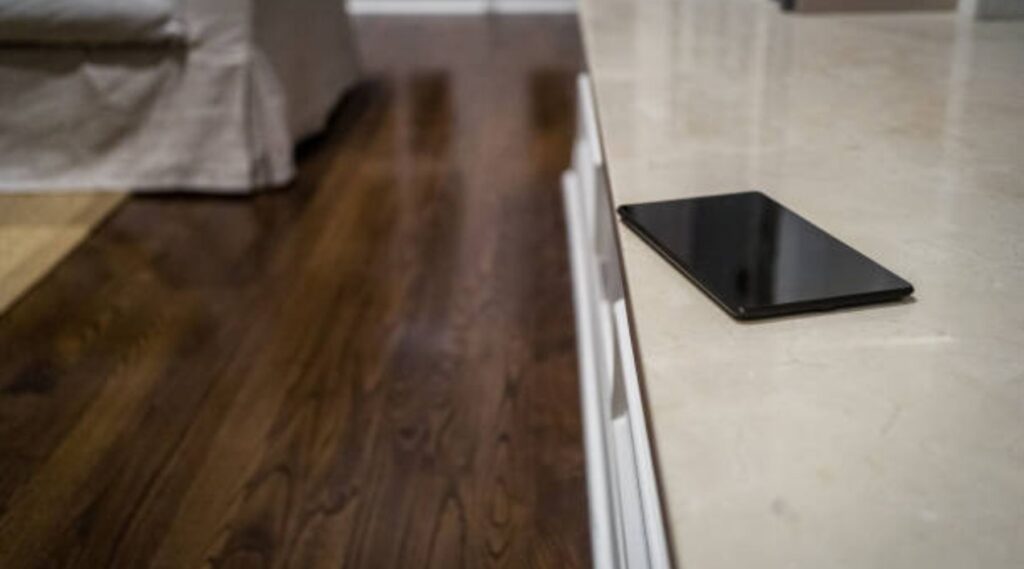
Modern kitchens are becoming multifunctional spaces where cooking, communication, entertainment and smart technology all come together. Phones are often kept nearby while people follow recipes, set cooking timers, play music, answer messages or stay connected with family and colleagues.
The problem is that keeping devices powered can introduce cables, adapters and charging pads onto an already busy worktop. Countertop wireless charging offers another approach by integrating charging directly into the kitchen surface. Instead of placing a visible charging pad on the counter, the charging module can be installed underneath a suitable surface.
Choosing the right system requires more than simply checking whether a phone supports wireless charging. Countertop material, surface thickness, charging distance, device compatibility, power access and installation requirements all need to be considered. For modern kitchens and renovation projects, hidden wireless charging can provide a practical way to add technology without compromising the overall design.
How Does Countertop Wireless Charging Work?
Countertop wireless charging uses wireless power transfer to charge compatible devices without requiring a charging cable to be connected directly to the phone. In an integrated kitchen installation, the charging hardware is positioned underneath the countertop rather than sitting visibly on top.
Understanding Wireless Charging Through a Countertop
Wireless charging works through electromagnetic power transfer between a transmitter coil inside the charger and a receiver coil inside a compatible smartphone. When the phone is positioned over the charging area, the transmitter transfers energy to the receiver, allowing the device battery to charge.
For a countertop installation, the transmitter is placed beneath the surface. The phone remains above the countertop, with the worktop material sitting between the two coils. This means the distance between the charger and phone becomes an important part of the installation.
Kew Labs explains that its hidden charging technology transfers power through suitable dense, non-metallic surfaces to the wireless charging coil inside a phone. This allows an appropriately prepared kitchen countertop or island to function as a charging area without requiring a visible charging pad.
Why Integrated Charging Can Be Better for Kitchen Design
A conventional wireless charging pad occupies space on the worktop and remains visible when it is not being used. An integrated system takes a different approach by placing the charging hardware beneath the surface.
This can reduce visible cables and charging accessories while allowing charging to become part of the kitchen itself. The result can be particularly useful for contemporary kitchens where maintaining a clean and uncluttered surface is important.
Hidden charging can also be considered during kitchen planning, allowing designers, fabricators and installers to coordinate the charging location with the countertop material and electrical infrastructure.
Which Countertop Materials Work With Wireless Charging?
The countertop material is one of the first things to check when planning an integrated wireless charging system. Wireless charging does not work equally through every type of surface, so compatibility should be confirmed before fabrication or installation.
Quartz, Stone and Other Non-Metallic Surfaces
Many non-metallic materials can be suitable for wireless charging when used with a charger designed for that type of installation. Potential materials include quartz, granite, marble, porcelain, solid surfaces and wood, depending on the specific charging system and surface construction.
Metal is more complicated because it can interfere with wireless power transfer. Even when the visible surface is non-metallic, metal reinforcement, backing or other components within the countertop should be considered.
Kew Labs states that its UTS-2 is compatible with non-metallic materials including stone, wood, plastic and glass. However, the exact surface construction and installation requirements should always be checked before selecting a charging position.
Natural materials like marble and quartzite can also contain metallic material, which can interfere with signals. The official recommendation is to run a test piece on natural materials like this or choose man made materials as a safer option.
Quartz Countertops
Quartz is a common kitchen worktop material and can be considered for integrated wireless charging when the installation is designed around the material’s thickness and construction.
One important consideration is that a standard quartz slab can be considerably thicker than the effective charging distance of some wireless charging systems. In these situations, the underside of the countertop may need to be prepared so that the charging module sits closer to the surface.
Kew Labs provides guidance for quartz countertop installations and recommends working with countertop fabricators to route the underside appropriately for the selected charging system. Planning this preparation before fabrication can help ensure that the finished countertop and charger work together correctly.
What Should You Consider Before Installing a Countertop Wireless Charger?
Selecting a countertop wireless charger involves both technical and practical considerations. The charger needs to match the physical characteristics of the worktop as well as the devices that will use it.
Surface Thickness and Charging Distance
The distance between the charging module and the phone is one of the most important factors in an integrated installation. The charger needs to be close enough to the phone’s receiver coil to transfer power effectively.
Rather than assuming that any wireless charger can work through any countertop, check the manufacturer’s specified charging distance. The exact thickness at the charging point should also be measured, including any layers or finishes that may sit between the module and phone.
For the Kew Labs UTS-2, the standard model has a published effective charging distance of 8 to 12 mm. If a countertop is thicker than the relevant charging range, underside routing or thinning may be required.
Kew Labs’ technical documentation explains that surfaces exceeding the specified range need to be prepared through routing to bring the charging module within the required distance. Ideally, this would be 8mm rather than 12mm as the 4 mm reduction helps to improve contact with the ferrite coils and improve efficiency.
Charging Performance and Device Compatibility
The intended devices should also be considered before installation. Compatible smartphones generally need to support the relevant Qi wireless charging technology.
Charging performance can vary depending on the phone, case, charging protocol and alignment. A phone case adds additional distance between the receiver and charging module, while cases containing metal components can potentially interfere with charging.
The Kew Labs UTS-2 datasheet states compatibility with Qi-enabled devices, with a maximum output of 20W and support for Apple 7.5W and Samsung 10W charging. Testing the actual devices likely to be used in the kitchen can provide additional confidence before final installation.
Power, Ventilation and Installation
Although the phone receives power wirelessly, the charging module itself still requires a suitable electrical connection. Power access and cable routing should therefore be planned alongside the countertop and kitchen cabinetry.
Ventilation is another consideration. The charging hardware should be installed according to the manufacturer’s requirements and provided with appropriate clearance. This is especially important when the module is installed beneath a solid countertop or inside enclosed cabinetry.
For a new kitchen or renovation, coordinate with the kitchen manufacturer, countertop fabricator and installer before fabrication. This gives each person an opportunity to account for the charging module, surface preparation, power supply and installation position.
Where Should You Install Wireless Charging in a Kitchen?
The ideal charging position depends on how people use the kitchen. A convenient location should be easy to access while remaining away from areas where heat, water or food preparation could create problems.
Kitchen Island
Kitchen islands are often central points within a home, making them a practical location for integrated charging. Family members may gather around the island, use their phones while preparing food or sit nearby during meals and conversations.
A charging zone can be positioned where people naturally place their phones. Larger islands may also benefit from multiple charging points if several people regularly use the space.
Main Countertop
The main countertop can be useful for charging when phones are frequently used for recipes, timers, music or communication. Integrating charging into the surface avoids taking up additional space with a visible charging pad.
However, the charging area should be positioned away from sinks, cooking appliances and locations exposed to excessive heat or moisture. The aim is to make charging convenient without interfering with everyday kitchen tasks.
Breakfast Bar or Seating Area
Breakfast bars and seating areas are often places where people spend time using their phones. A hidden charging point can provide convenient access while keeping the seating surface free from visible charging equipment.
For larger family kitchens, multiple charging zones may be useful. The location should be selected based on seating positions and where people naturally place their devices.
Kew Labs recommends considering where people spend time, where people sit, the available countertop space and existing power access when planning charging positions.
How to Choose the Right Countertop Wireless Charger
Choosing the right system means matching the charger to the countertop, devices and installation environment. A few checks can help narrow down the most suitable option.
Check material compatibility: Confirm that the charger supports the selected countertop material and construction.
Measure thickness: Compare the actual surface thickness with the charger’s effective charging distance.
Check device compatibility: Confirm support for Qi and the smartphones intended for use.
Consider charging performance: Review maximum output and supported charging protocols.
Plan installation early: Coordinate with the countertop fabricator before production begins. also ensure that the countertop fabricator has routed a smooth area in the pocket so that the UTS-2 can adhere correctly for the future.
Plan power and ventilation: Ensure suitable power access and sufficient clearance around the charging hardware. UTS-2 does not require much ventilation as it’s efficiently powered compared to other solution, but access is important in case it needs to be removed or replaced.
The charging location should also be easy for users to identify. Kew Labs supplies alignment tools and charging-position stickers with the UTS-2 and recommends incorporating a suitable surface design to identify the charging area.
Recommended Solution: Kew Labs UTS-2
The Kew Labs UTS-2 is an example of a purpose-built countertop wireless charger designed for integration beneath suitable non-metallic surfaces. It can be used for kitchen countertop and island applications where the surface is prepared according to the required specifications.
The UTS-2 uses a USB-C power connection and has a maximum output of 20W. Its compatibility with suitable non-metallic materials allows the charging module to be integrated beneath selected kitchen surfaces while keeping the visible countertop clear.
For kitchen designers, homeowners and renovators, the installation should be planned with the countertop fabricator and other relevant professionals. Kew Labs provides technical drawings, routing diagrams and approvals for selected countertop surface brands to support integrated installations.
The Kew Labs countertop wireless charging application provides further information about using hidden wireless charging within kitchen countertops and islands.
Common Mistakes to Avoid
Many problems with integrated charging can be prevented by planning the installation before the countertop is fabricated. A charger that works well on a desk or thin surface may not automatically be suitable for a thick kitchen worktop.
Common mistakes include:
Choosing a charger without checking countertop material compatibility.
Ignoring the exact countertop thickness.
Assuming every wireless charger can work through thick stone or quartz.
Not having a smooth surface on the routed pocket. this affects the overall distance if the adhesion tape starts to move the charger away from the surface.
Installing the charger too far from the phone.
Forgetting that phone cases add additional distance.
Leaving power planning until after countertop fabrication.
Installing charging hardware without considering ventilation.
Positioning charging points too close to water or high-heat areas.
Failing to test the charging position before completing the installation.
Installing multiple chargers without planning the required power connections.
Taking time to check these factors before installation can help create a more reliable and practical charging area.
Conclusion
Countertop wireless charging can make everyday kitchen technology more convenient without adding visible cables, adapters or charging pads to the worktop. The right solution depends on several factors, including countertop material, surface thickness, charging distance, device compatibility, power access, ventilation and installation requirements. Non-metallic surfaces such as quartz, stone, wood and other suitable materials can support hidden wireless charging when the selected system is correctly specified and installed. Integrated charging works particularly well when it is considered during a kitchen renovation or countertop fabrication stage, allowing the charging module, surface preparation and electrical infrastructure to be planned together. A purpose-built system such as the Kew Labs UTS-2 provides an example of how suitable kitchen countertops and islands can be transformed into discreet charging areas while retaining their everyday function.
If you are planning a new kitchen, renovation or integrated countertop charging project, contact us today countertop wireless charging solution to see how hidden charging can be incorporated into your kitchen design.
FAQs
Countertop wireless charging is a system that allows compatible devices to charge through a kitchen worktop or island. The charging module is generally installed underneath the surface, keeping the visible charging hardware concealed.
Yes, suitable wireless charging systems can work through quartz when the surface thickness and installation requirements are appropriate. Kew Labs provides specific guidance for integrating its technology into quartz countertops.
Many non-metallic surfaces can potentially be suitable, including certain stone, quartz, wood, plastic and glass surfaces. Compatibility should always be confirmed with the specific charger and countertop manufacturer before installation.
The maximum effective thickness depends on the selected charger. Kew Labs specifies an effective charging distance of 8 to 12 mm for its standard UTS-2. Thicker countertops may therefore require underside routing or other surface preparation.
Yes. The phone receives power wirelessly, but the charging module requires a suitable electrical power connection. Power access and cable routing should be planned during installation.
It may be possible depending on the countertop construction, thickness, underside access and available power. The existing surface should be assessed before any routing or modification takes place.
Kitchen islands, breakfast bars and frequently used countertop areas can all be suitable. The best position depends on how the kitchen is used, where people naturally place their phones and where suitable power and surface conditions are available.
Yes. Multiple charging points can be used for larger islands or households with several users. Kew Labs provides guidance for connecting multiple UTS-2 chargers using USB-C hubs.
Yes. Greater surface thickness creates a larger distance between the charging module and the phone. The selected charger must be capable of operating effectively through the specified surface thickness.
Consider the countertop material, surface thickness, Qi and device compatibility, charging output, installation method, power requirements, ventilation, charging position and the number of devices that need to be supported. Testing the intended installation with the actual devices can also help confirm suitability.