
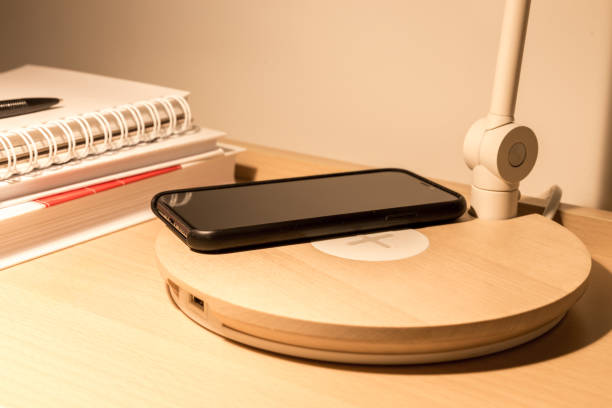
Modern workplaces depend on connected devices. Employees use smartphones, earbuds, tablets, and other mobile devices throughout the day.
But charging these devices can create a simple problem. Cables, adapters, charging pads, and loose wires can quickly take over a desk.
This can make a workspace look untidy. It can also take up useful desk space and create another task for employees to manage.
Under desk wireless charging offers a cleaner approach. A wireless charging module can be installed beneath a compatible desk or work surface. Employees can then place a compatible device above the charging area.
The technology stays out of sight while charging remains easy to access.
This raises four practical questions. How does under desk wireless charging work? What are its workplace benefits? What should businesses consider before installation? And will it work with the devices employees already use?
What Is Under Desk Wireless Charging and How Does It Work?
Under desk wireless charging places the charging hardware below a compatible work surface. Instead of putting a charging pad on top of a desk, the charger becomes part of the furniture.
This creates a more integrated approach to workplace charging.
Understanding an Under Desk Wireless Charger
An under desk wireless charger is a wireless charging module designed to work beneath a suitable desk or table surface.
The charger sits below the surface. A compatible phone or device is placed over the charging zone above it.
Kew Labs UTS 2 is designed as a hidden Qi wireless charger for installation beneath non metallic surfaces. The company describes the system as a way to turn suitable surfaces into hidden wireless charging areas.
This approach can be useful when businesses want charging without adding another visible accessory to the desk.
How Devices Charge Through the Work Surface
Wireless charging uses electromagnetic induction to transfer energy between the charger and a compatible device.
The distance between the charging module and the device matters. So does the material between them.
For example, Kew Labs states that UTS 2 can charge through non metallic materials such as wood, plastic, granite, quartz, marble, and glass. Its technical specifications list an effective charging distance of 8 mm to 12 mm for universal compatibility.
This means the desk surface needs to meet the charging system’s requirements. The material and thickness should always be checked before installation.
Invisible vs. Conventional Desk Charging
A conventional charging pad sits on the desk. It usually needs a visible power cable and can occupy part of the working surface.
A USB hub can offer more connection options, but it can also add more cables and equipment.
An invisible system takes a different approach. The charging module is positioned beneath the work surface, leaving the main desk area clear.
Kew Labs also provides technical drawings and routing diagrams for the UTS 2 to help designers and fabricators plan an integrated installation.
You can explore the Kew Labs under desk wireless charger to see how hidden charging can be integrated into compatible furniture.
Why Use Wireless Charging Under a Desk?
Workplace charging is not only about supplying power. It is also about creating a workspace that is easy to use.
A well planned wireless charging solution can support a cleaner desk while making everyday charging less disruptive.
Reduce Cable Clutter
Cables are one of the most visible parts of traditional desk charging.
A phone cable may run across the desk. An adapter may occupy a socket. A charging pad may take up space beside a keyboard, notebook, or monitor.
Moving the charging module below the desk can reduce these visible elements.
This can help businesses create cleaner individual workstations, meeting tables, and shared desks without removing access to everyday device charging.
Keep Devices Powered During the Workday
Employees often need their phones throughout the workday.
They may use them for calls, messages, authentication, calendars, navigation, communication, or work applications.
An under desk wireless charger gives employees another convenient way to keep compatible devices powered.
Instead of repeatedly searching for an outlet or connecting a cable, the employee can place the device over the designated charging area.
Support a Cleaner, More Modern Workplace
Workplace design has changed. Offices now include hot desks, flexible work areas, collaborative tables, informal meeting spaces, and shared workstations.
These environments benefit from flexible technology.
Integrated charging can be included as part of the furniture rather than added as separate equipment. Kew Labs lists office and commercial furniture as one of its application areas for invisible wireless charging.
This makes charging part of the wider workplace design.
Improve the User Experience
Good workplace technology should be easy to use.
Employees should not have to think about where a charging cable is stored or which adapter they need.
With a clearly marked charging zone, the process becomes simple. Place the compatible device in the right position and let the charger do the work.
This makes charging a passive part of the workstation rather than another task during a busy day.
Where Can Under Desk Wireless Charging Be Used?
Under desk wireless charging can support more than traditional individual desks.
The technology can be considered anywhere compatible furniture and surfaces can be used to create useful charging points.
Individual Employee Workstations
Personal desks are a natural location for wireless charging.
Employees often keep their phones beside their keyboard, notebook, monitor, or other daily work tools.
A hidden wireless charger can keep the charging function close to the employee without filling the desktop with another accessory.
It can also support a consistent workstation design across an office.
Hot Desks and Flexible Workspaces
Hot desks are shared by different employees during the day.
This can make personal charging equipment less practical. One employee may bring a cable while another may use a different connector.
A wireless charging zone can offer a simple shared option for compatible devices.
Because the charger can be integrated into the furniture, the same workstation can support different users without requiring a permanent charging pad on the surface.
Meeting Rooms and Collaborative Tables
Meeting rooms are another useful application.
Employees, clients, and visitors may need to keep phones powered during longer meetings. A conference table can provide a natural place for charging.
Multiple charging points can also be considered for larger tables.
Kew Labs provides wiring and multi charger installation resources for UTS 2, including examples for meeting tables and other multi point installations.
Commercial Furniture and Integrated Workstations
Charging can be considered during furniture design rather than after production.
Furniture teams can plan the charging position, routing, surface construction, and power access as part of the specification.
This can create a cleaner result than adding external charging equipment later.
It also gives architects, workplace designers, and furniture manufacturers more control over how technology fits into the overall environment.
What Should You Consider Before Installing an Under Desk Wireless Charger?
Choosing an under desk wireless charger requires more than checking whether a phone supports wireless charging.
The charger, desk surface, power supply, installation method, and user experience all need to work together.
Desk Material and Surface Thickness
The material and thickness of the desk are important.
Wireless charging works through suitable materials, but the charging distance has limits.
Kew Labs states that UTS 2 is designed for non metallic materials and lists wood, plastic, granite, quartz, marble, and glass among compatible materials. Its published technical data specifies an 8 mm to 12 mm charging distance for the UTS 2.
A thicker surface may require preparation or routing to bring the effective charging distance within the required range.
Always check the manufacturer’s current installation specifications before specifying a charger.
Device Compatibility
Not every mobile device supports wireless charging.
Qi is a widely used wireless charging standard, and compatible smartphones and accessories can use Qi charging systems.
Kew Labs states that UTS 2 supports Qi enabled devices and provides charging support for compatible Apple, Samsung, Google, Huawei, Sony, Nokia, LG, and Xiaomi devices.
Businesses should check the devices commonly used by employees before selecting a workplace charging system.
Charging Position and User Accessibility
A hidden charger still needs to be easy to find.
Employees need to know where to place their phones. A subtle sticker, mark, recessed detail, or other surface indicator can show the charging position.
Kew Labs notes that its charging stickers are not required for the charger to work, but recommends incorporating a surface design that identifies the charging location.
This small detail can make an invisible system much easier to use.
Power and Installation Requirements
The charger may be hidden, but it still needs a power connection.
Power access and cable routing should therefore be planned before installation.
Kew Labs UTS 2 uses USB C power and can support multiple charger installations through USB C power hubs. The company also provides wiring diagrams for multi charger workplace and furniture applications.
Early planning can help prevent exposed cables and difficult retrofits.
Maintenance and Long Term Reliability
Workplace furniture is used every day.
Charging technology should therefore be selected with durability, cleaning, service access, and long term use in mind.
Facility managers should understand how the charger can be accessed if maintenance is required.
It is also useful to test the finished installation before wider deployment. This can confirm charging performance and usability with representative devices.
Under Desk Wireless Charging vs. Traditional Desk Charging
Factor | Traditional Charging | Under Desk Wireless Charging |
|---|---|---|
Visible cables | Common | Minimized |
Charging hardware | Usually visible | Can be concealed |
Desk appearance | More equipment on surface | Cleaner surface |
User convenience | Cable connection required | Place compatible device on charging area |
Furniture integration | Limited | Designed for integration |
Best suited for | Basic charging needs | Design focused modern workplaces |
Under desk wireless charging does not replace every workplace power requirement.
Laptops, monitors, docking stations, and other high power equipment may still need conventional electrical connections.
Wireless charging is particularly useful for compatible mobile devices such as smartphones, earbuds, and other Qi enabled accessories.
The right workplace setup may therefore combine conventional power with integrated wireless charging.
How to Plan Under Desk Wireless Charging Into a Workplace
A successful installation starts with planning.
The earlier charging is included in the workplace project, the easier it can be to coordinate the technology with furniture and power requirements.
Identify High Use Charging Locations
Start by mapping where employees use mobile devices.
Look at individual desks, hot desks, meeting rooms, collaborative tables, reception areas, and other shared workspaces.
Focus on locations where charging provides real value.
The aim is not to install a charger everywhere. It is to place charging where employees naturally use and store their devices.
Coordinate With Office Designers and Furniture Teams
Charging should be discussed with the people responsible for the workplace environment.
Architects can review the overall layout. Interior designers can consider the visual treatment. Furniture teams can assess construction and routing.
The charging provider can then confirm product requirements and installation details.
Kew Labs provides technical drawings, routing diagrams, product information, and installation resources to support this type of planning.
Plan Power and Installation Early
Early planning can reduce the need for visible cables and difficult modifications.
The project team can identify power locations and cable routes before furniture is installed.
This is especially important for large offices with multiple charging points.
Kew Labs UTS 2 uses USB C power and can connect multiple chargers through compatible power hubs, giving designers more options for multi charger installations.
Test Compatibility and Charging Performance
Testing should be part of the rollout.
Choose a sample workstation or meeting table and test the finished installation with devices commonly used by employees.
Check the charging position, charging performance, surface construction, user instructions, and power setup.
Once the system works as expected, the same specification can be considered for wider workplace deployment.
Conclusion: Make Workplace Charging Simpler and More Seamless
Under desk wireless charging is a workplace design solution as much as it is a charging solution. It can help businesses reduce visible clutter, give employees easier access to everyday charging, and create cleaner workstations. The strongest results come when charging is considered during furniture design, office fit outs, renovations, or new workplace projects. By reviewing surface material, thickness, device compatibility, power access, charging position, and maintenance needs early, businesses can create a practical charging experience without treating the charger as an extra accessory. For modern offices, the goal is simple: integrate charging into the workplace from the beginning rather than adding it after the workspace is already complete.
Explore Kew Labs’ UTS 2 invisible wireless charger to see how wireless charging can be integrated beneath compatible work surfaces.
Contact us to discuss your workplace wireless charging project, commercial furniture integration, office fit out, or technical requirements.
Frequently Asked Questions About Under Desk Wireless Charging
Under desk wireless charging is a method of charging compatible devices through a suitable desk or work surface.
The charging module is installed below the surface instead of sitting visibly on top of the desk.
A compatible phone or device can then be placed over the charging area to receive power wirelessly.
An under desk wireless charger uses a charging module positioned beneath a compatible surface.
The module transfers power wirelessly to a compatible device placed above the charging area.
The distance and material between the charger and device affect performance, so the desk needs to meet the manufacturer’s installation requirements. Kew Labs UTS 2 specifies an 8 mm to 12 mm effective charging distance for universal compatibility.
Yes, provided the desk construction is suitable for the selected charging system.
The surface material and thickness should be checked before installation.
For a new desk or furniture project, it is often easier to include the charger during the design and manufacturing process.
It can work through suitable wooden surfaces.
However, performance depends on the wood construction, surface thickness, charger design, and required charging distance.
Kew Labs lists wood among the non metallic materials through which its UTS 2 can charge, subject to its published installation requirements.
Compatible devices can use wireless charging when they support the relevant wireless charging standard.
Qi compatibility provides broad support across many smartphones and accessories.
Kew Labs states that UTS 2 supports Qi enabled devices, including compatible iPhones and Android smartphones.
Businesses should still check the selected charger’s current specifications before installation.
Not completely.
The charging module still needs a connection to a power source.
However, the charger and much of its cabling can be positioned beneath the work surface. This can greatly reduce the cables and charging equipment visible on the desk.
Yes.
It can be useful for individual workstations, hot desks, meeting rooms, collaborative tables, and other commercial furniture.
Kew Labs lists wireless charging for office and commercial furniture among its applications, with the UTS 2 designed for hidden installation beneath compatible surfaces.
Yes.
Integrated charging is one of the main benefits of an under surface system.
The charger can be considered during furniture design, manufacturing, refurbishment, or office fit out.
Planning early allows the team to coordinate surface thickness, charger position, routing, power access, and the final visual design before the furniture is completed.