
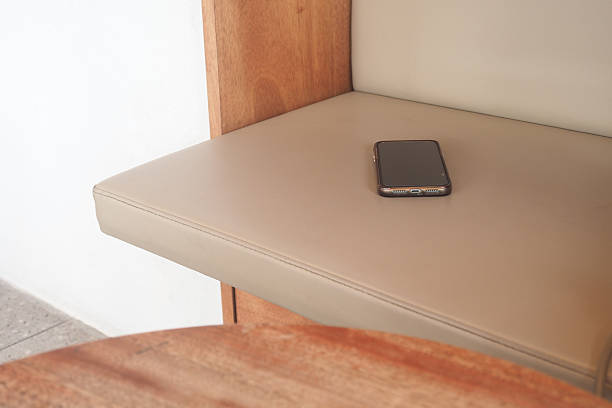
Introduction
Tables support dining, work, meetings, shopping, and social time. Phones also need power during the day. Traditional charging can add visible cables, adapters, power banks, or docks to the table.
An under table wireless charger offers a cleaner option. The charging module sits below a suitable tabletop. A compatible phone can charge from the surface above while the table stays clear.
This approach also helps teams plan charging as a service feature. It can support a cleaner layout without changing how people use the table each day.
What Is an Under Table Wireless Charger?
An under table wireless charger is a module installed below a compatible table surface. It sends power through the tabletop to a compatible device in the charging zone. Kew Labs designs UTS 2 for non metallic surfaces such as wood, stone, plastic, and glass, subject to product specifications.
How Wireless Charging Under a Table Works
Wireless charging uses electromagnetic induction. The charger creates an energy field, and a receiving coil in the device uses that energy to charge its battery.
The transmitter stays below the surface while the phone stays above it. Distance matters. Kew Labs UTS 2 guidance gives 8 mm to 12 mm effective charging distance for its thin version. Check the current guide before installation.
Under Table vs. Surface Mounted Wireless Chargers
A surface mounted charger sits on top of the table. It is easy to see, but it uses space and adds another object.
A concealed charger stays below the table. This leaves room for food, documents, laptops, menus, and personal items while keeping charging available.
Why Concealed Charging Is Better Suited to Modern Furniture
Modern furniture often combines useful technology with clean design. Visible accessories can weaken that look. Hidden charging makes power part of the furniture.
Kew Labs says UTS 2 is 50 percent smaller than UTS 1 and uses USB Type C power for flexible multi charger setups. Explore the Kew Labs UTS 2 invisible wireless charging solution for suitable furniture and surfaces.
Where Can Wireless Charging Under a Table Be Used?
Restaurants, Cafés and Bars
Restaurants and cafés can add hidden charging to dining tables, counters, and bar tops. Guests can place a compatible phone on the charging area without running a cable across food or drinks.
Kew Labs shows UTS 2 installations in bars and restaurants. Its guidance notes that thicker existing surfaces may need preparation, so remodeling or new construction can help.
Offices and Meeting Tables
Meeting rooms often have people using phones during discussions. A hidden charger can reduce cables and keep space open for notes, documents, and work items.
Hotel and Hospitality Furniture
Hotels can use concealed charging in bedside tables, lobby tables, lounge furniture, and guest areas.
Kew Labs lists hospitality as an application for invisible wireless charging.
Commercial and Custom Furniture
Furniture makers can build charging into a product during design and production.
Architects and designers can plan the charging point, surface preparation, cable route, and power source as part of the specification.
This can also make the charging position more consistent across a furniture range. It gives fabricators a clear plan before production starts.
What Are the Benefits of an Under Table Wireless Charger?
Keep Table Surfaces Clear
An under table wireless charger keeps hardware out of the main work area. This suits dining tables, meeting tables, hotel furniture, and commercial furniture.
Reduce Cable Clutter
Cables can cross tables, hang over edges, and mix with other wires. They can make shared spaces look untidy.
With a hidden charger, users place a compatible device on the charging zone. They do not need to bring a personal cable across the table.
Create a More Seamless User Experience
Users place a phone in the right area and let the system work. Kew Labs recommends a subtle surface design, such as an indicator or inlay, to show the charging point.
Protect the Aesthetic of the Furniture
Concealed charging can preserve the look of wood, stone, glass, and other finishes.
It can make technology feel like part of the furniture instead of a separate accessory.
What Should You Consider Before Installing a Wireless Charger for a Table?
Table Material and Thickness
Material and thickness between the charger and phone are key factors. Metal can interfere with wireless charging. Non metallic materials are generally more suitable, but exact limits depend on the selected system.
Kew Labs UTS 2 is designed for non metallic materials, and its guides show that surface thickness affects installation.
Charging Position and User Awareness
A hidden charger should still be easy to find. If users cannot see the charging zone, they may think it is not working.
A small sticker, recessed mark, inlay, resin detail, or custom symbol can identify the area. Kew Labs says stickers are optional but recommends a surface design to show the charging position.
Device Compatibility
Check the charging standard before choosing a system. Kew Labs UTS 2 supports Qi enabled devices, including compatible iPhones, Android phones, and wireless charging accessories.
Not every phone supports wireless charging. Consider the devices most likely to be used in the space.
Power and Installation Requirements
UTS 2 uses USB Type C power. Kew Labs also provides guidance for connecting multiple chargers through compatible USB C hubs. Electrical work should follow local rules.
Power planning should cover the power source, cable route, access, and connection method.
Maintenance and Commercial Durability
Commercial furniture supports repeated daily use. The installation should allow sensible cleaning and suitable service access.
How to Integrate an Under Table Wireless Charger Into Existing Furniture
Assess the Existing Table
Check the tabletop material, thickness, construction, underside access, and nearby power source.
Kew Labs says UTS 2 can be retrofitted into some bar and hotel surfaces when the surface meets its 8 mm to 12 mm requirement. Thicker surfaces may need preparation.
Choose the Charging Location
Place the charger where people naturally put their phones. Consider seating, reach, table size, and normal use.
Plan Installation Around the Furniture
For new furniture, installation steps can be added to production drawings. Kew Labs provides technical drawings and routing information for UTS 2 to support planning with fabricators.
The installation plan should protect the table structure and finish.
Test Before Rolling Out Across Multiple Tables
Test one table before a full rollout. Use phones that represent the devices customers, guests, or staff will use.
Check charging response, placement, cable routing, user awareness, and cleaning access. Then repeat the tested design across the project.
Testing also gives the team a chance to confirm the surface finish and user instructions before customers or staff use the furniture.
Under Table Wireless Charging vs. Traditional Charging
Traditional charging and concealed charging serve different needs. An under table system is best viewed as a convenience feature, not a complete replacement for electrical power.
An under table wireless charger does not replace conventional outlets. Users may still need outlets for laptops, monitors, appliances, or other high power equipment. Its strongest role is convenient charging for compatible mobile devices.
Conclusion: Turn the Table Into the Charging Point
An under table wireless charger adds charging without giving up table space or visual quality. For restaurants, offices, hotels, furniture manufacturers, architects, and designers, the value comes from making charging part of the furniture rather than another object placed on it. A well planned installation can reduce cable clutter and improve ease of use. Explore the Kew Labs UTS 2 invisible wireless charger to see how wireless charging can be integrated beneath compatible furniture and surfaces.
Frequently Asked Questions About Under Table Wireless Chargers
It is a wireless charging module installed beneath a compatible tabletop. It lets compatible devices charge from the surface above.
The unit stays out of sight while the user places the phone in the charging zone
It can work when the table material and thickness match the chosen system. Non metallic surfaces are commonly used.
Always check the product specifications before installation.
Potentially. It depends on material, thickness, construction, underside access, and power.
Some furniture may need routing or surface preparation. Test first before wider deployment.
Applications include restaurant tables, café tables, office desks, meeting tables, hotel furniture, lounge tables, bar tops, and custom commercial furniture.
The table must meet the technical requirements of the charger
Compatible iPhones can use wireless charging when they support the relevant standard.
Kew Labs UTS 2 supports compatible Qi enabled devices, including iPhones.
Many Android smartphones support Qi wireless charging. Support varies by model.
Confirm the devices used in the project support the required charging standard.
The charging module can be concealed beneath a suitable surface.
A subtle mark, sticker, inlay, or design feature can show the charging position without adding a large accessory
Yes. Restaurants, bars, and hotels can offer convenient charging while keeping tables and counters tidy.
Kew Labs provides UTS 2 guidance for hospitality applications and surface installation.
Yes. Charging can be included in furniture planning, drawings, surface preparation, cable routing, and power planning.
This can create a consistent result across a furniture range and reduce visible charging accessories.
Contact Us: Get in touch with Kew Labs to discuss your wireless charging project, request technical support, or explore a suitable solution for your furniture and surface design.