
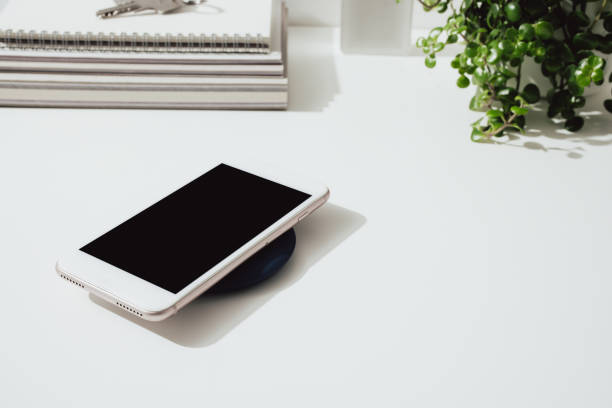
Wireless charging has become a convenient way to power smartphones and other compatible devices without relying on charging cables. However, when wireless charging is integrated into a desk, one important question comes up: how far can the charging signal actually travel? This matters particularly when the charger is installed underneath a work surface rather than placed directly on top of it.
A traditional wireless charging pad normally requires the phone to sit very close to the charger. A hidden desk installation works differently because the charging module sits below the furniture surface. The distance between the transmitter and the device therefore becomes an important part of the installation.
The performance of a wireless charger for desk applications depends on several factors, including the charger design, surface material, desk thickness, phone case, device compatibility and alignment. Understanding wireless charging distance can help homeowners, office users, DIY enthusiasts and furniture makers select a suitable solution.
How Do Wireless Chargers Work?
Wireless charging allows a compatible device to receive power without a physical charging cable connected directly to the phone. The technology relies on electromagnetic energy being transferred between a transmitter inside the charger and a receiver inside the device. This makes the position and distance between the two components important.
Understanding Wireless Power Transfer
A wireless charger contains a transmitter coil that generates an electromagnetic field when power is supplied to it. A compatible smartphone contains a receiver coil that detects this field and converts the transferred energy into electrical power for the battery.
The Qi wireless charging standard is particularly important because many smartphones use Qi-compatible wireless charging technology. However, physical compatibility with wireless charging does not automatically mean that every device will perform equally well with every installation.
For a hidden desk installation, the transmitter is positioned beneath the work surface while the receiver remains inside the phone. The furniture material sits between the two components, so the charger must be designed to operate effectively at that distance.
Why Distance Matters
As the gap between the transmitter and receiver increases, transferring energy efficiently becomes more challenging as when more power is required the chances of excess heat generation increase. Furthermore, as distances increase, communication methods are involved to overcome this distance that are not designed in charging pads designed for direct placement. This is why a conventional charging pad designed for direct placement cannot not automatically be expected to charge a phone through a thick desk.
A purpose-built under-surface charger is designed with furniture integration in mind. Its specifications should clearly state the effective charging distance and the types of materials through which it can operate. This is because longer-distance charging requires communication technologies between the phone and the charger, which are not standard issue in Qi wireless charging that manage temperature and charging protocols.
Always compare the actual thickness of the desk surface with the manufacturer’s charging specifications before installation. This is especially important when the charging module will be hidden from view.
How Far Can Wireless Charging Really Work Through a Desk?
There is no single wireless charging distance that applies to every charger. Different wireless charging systems are designed for different applications, and their effective range depends on the transmitter, receiver, surface and installation conditions. However, on the whole, the greater the distance the lower the efficiency and therefore speed.
Standard Wireless Charging Distance
Many conventional wireless chargers are designed to operate over a very short distance. The phone is usually placed directly on the charging pad so that the transmitter and receiver coils are positioned close together, the total distance is 2-4mm due to the phone cases between.
Even small additions can increase the distance. A thick phone case, raised camera area or other accessory can create an additional gap between the phone and charging surface. Cases containing metal components may also interfere with wireless charging.
For this reason, a wireless charger should be evaluated according to its intended installation rather than assuming that all wireless chargers have the same capabilities.
Wireless Distance Charging for Furniture
Furniture charging requires a different approach because the charging module is often installed underneath a desk, table or other surface. The material between the charger and phone becomes part of the overall charging distance.
Purpose-built wireless distance charging systems can transfer power through suitable non-metallic furniture surfaces while keeping the charging hardware hidden. This makes it possible to create a desk that provides wireless charging without placing a conventional charging pad on top.
The important consideration is whether the surface thickness falls within the charger’s effective operating range. The material itself also needs to be compatible with the charging system.
Kew Labs UTS-2 Charging Distance
The Kew Labs UTS-2 provides a practical example of a wireless charger designed for hidden furniture installation. Its published specification gives an effective charging distance of 8 to 12 mm for the standard model.
Kew Labs also lists a UTS-2-6MM variant designed for installations involving a 6 mm surface. These specifications are specific to the relevant products and should not be treated as a universal limit for wireless charging technology.
When planning a wireless charger for desk installation, the key is to match the furniture construction with the exact specifications of the selected charging module. In the Kew Labs case, the closer the specification of 8mm would achieve a higher efficiency.
What Affects Wireless Charging Distance and Efficiency?
Wireless charging performance is influenced by more than just the charger itself. The desk material, surface thickness, phone case, device position and surrounding environment can all affect the final result.
Desk Material and Thickness
The material between the charger and phone can influence wireless charging performance. Non-metallic materials are generally more suitable for under-surface wireless charging, although the exact requirements depend on the charger.
Kew Labs lists materials including wood, plastic, stone and glass as compatible non-metallic surfaces for the UTS-2. The thickness of that material is equally important because it determines the physical gap between the transmitter and receiver.
A wooden desk, for example, may be suitable for hidden charging, but the exact construction still needs to be checked. Veneers, laminates, reinforcement layers or metal components can change the effective installation conditions.
MagSafe, Phone Cases and Accessories
The phone itself is another important consideration. A case adds physical distance between the receiver coil inside the phone and the transmitter beneath the desk.
MagSafe wireless charging in iPhones can create alignment issues with non-magnetic charging is taking place, as accuracy has therefore got to be better to charge the coil and not the magnets when magnetic charging is not being used.
Thicker cases can therefore reduce charging performance when an installation is already close to its maximum specified distance. Cases containing metal may create additional interference depending on their design.
For office furniture or shared workspaces, it is useful to test the actual phones and cases that users are expected to charge rather than relying only on a single test device.
Alignment and Charging Position
Wireless charging works most effectively when the transmitter and receiver coils are appropriately aligned. A phone placed too far away from the intended charging zone may not charge consistently.
A hidden charger should therefore have a clearly identifiable charging position. This does not necessarily require a large visible marking. A subtle symbol, sticker or design feature can show users where to place their phone.
For furniture designers, the charging zone can also be incorporated into the visual design of the desk or table.
Heat and Environmental Conditions
Wireless charging naturally generates some heat during operation. The surrounding environment can affect how effectively that heat is managed.
High temperatures may reduce charging performance, so installation should follow the manufacturer’s ventilation and clearance requirements. Kew Labs‘ installation guidance recommends leaving appropriate ventilation clearance around the UTS-2 and notes that high room temperatures can affect charging performance.
This is particularly important when the charging module is installed inside enclosed furniture where airflow may be restricted.
How to Choose the Right Wireless Charger for a Desk
Choosing a wireless charger for desk installation requires more than checking whether a phone supports wireless charging. The charger needs to match the physical construction and intended use of the furniture.
Check the Charging Distance
Start by measuring the actual surface thickness where the charger will be installed. Consider all layers that may sit between the charging module and the phone.
This could include a wooden panel, laminate, veneer or other finishing material. Compare the final measurement with the charger’s stated effective charging range rather than relying on the general thickness of the desk.
For a hidden installation, even a small difference in surface thickness can matter when the system is operating close to its specified range.
Check Device Compatibility
The devices using the desk should support the relevant wireless charging technology. Qi compatibility is an important starting point for many smartphones, but charging protocols and supported output levels can also differ.
Consider whether the desk will be used by one person with a known device or by multiple users with different smartphones. A workplace installation may need to accommodate a wider range of devices than a personal home office.
Checking device compatibility before installation can help avoid problems after the furniture has already been modified.
Consider Installation Requirements
Wireless chargers can be installed in different ways depending on the furniture design. Some installations may place the module beneath the surface, while others may require routing or a recessed area.
Planning the installation before manufacturing or modifying the desk is particularly useful for furniture makers and DIY projects. Power connections and cable routing should also be considered at the same time.
Kew Labs provides technical drawings, routing diagrams and multi-charger connection guidance for UTS-2 installations, which can be useful when planning integrated furniture charging.
Consider the Overall Workspace
Think about where people naturally place their phones. A charging zone that is positioned too close to a monitor stand, desk accessories or other equipment may be inconvenient to use.
For larger tables or commercial workspaces, multiple charging points may be more practical than a single module. The number of users, available power connections and furniture layout should all be considered during the planning stage.
Why Use a Hidden Wireless Charger for Desk Installations?
Hidden charging can change the way a desk is organised by moving the charging hardware below the surface. Instead of adding another visible accessory, the charging function becomes part of the furniture itself.
Cleaner Desk Design
A hidden wireless charger can remove the need for a visible charging pad and reduce some of the cable clutter normally found around a workstation.
This can help maintain a simple desk appearance while keeping wireless charging available when required. It is particularly suitable for minimalist home offices, modern workstations and furniture where visual simplicity is important.
Better Use of Desk Space
Desk space is often occupied by laptops, monitors, notebooks and other everyday equipment. Adding another charging accessory can make the surface feel more crowded.
With an under-surface system, the charging hardware remains beneath the desk while the upper surface remains available for normal work. The charging function is integrated into the furniture rather than taking up additional desktop space.
Convenient Everyday Charging
Once the charging zone is identified, users can place a compatible phone over the designated area without connecting a cable directly to the device.
This can be useful in home offices, commercial workstations, meeting tables and custom furniture. The convenience depends on correct alignment and ensuring that the device and installation meet the charger’s specifications.
Professional Furniture Integration
Hidden charging can also be considered during the furniture design process rather than added as an afterthought. Furniture manufacturers and custom woodworkers can plan the charging location, surface thickness and cable routing before production.
Kew Labs highlights office furniture and custom woodworking or DIY applications for its hidden charging solutions, making this type of installation relevant to both individual projects and integrated furniture designs.
Common Mistakes When Installing Wireless Charging Through a Desk
Hidden wireless charging can work effectively when the installation is designed around the charger’s technical requirements. Problems often occur when distance, materials or device compatibility are overlooked.
The most common mistakes include:
Assuming any wireless charger can work through a desk.
Failing to check the charger’s effective charging distance.
Ignoring the exact thickness of the desk surface.
Installing through unsuitable metal materials like metal.
Forgetting that a phone case adds extra distance.
Positioning the charger without considering coil alignment.
Not testing the charger with the intended device and case.
Ignoring ventilation and heat requirements.
Planning power and cable routing only after the furniture has been completed.
Checking these points before installation can make the process more predictable and reduce the risk of unreliable charging.
Conclusion
Wireless charging distance is one of the most important factors to consider when selecting a wireless charger for desk installations. Conventional charging pads generally require the phone to remain very close to the charging surface, while purpose-built hidden charging systems are designed to transfer power through suitable furniture materials. Performance depends on the distance between the charging coils, surface material, desk thickness, phone case, device compatibility, alignment and environmental conditions. The Kew Labs UTS-2 provides a practical example, with a published effective charging distance of 8 to 12 mm for its standard model. Before installation, measure the actual desk surface and compare it with the charger’s technical specifications to ensure the furniture and charging system are suitable.
Contact us: If you are planning an integrated desk or furniture charging installation, explore Kew Labs’ desk wireless chargers to find a solution suited to your project.
FAQs
The effective distance varies according to the charger and its design. Conventional wireless chargers generally require close proximity, while purpose-built furniture chargers can operate through suitable surfaces within their specified range. Always check the manufacturer’s stated charging distance before installation.
Wireless charging distance is the gap between the transmitting coil inside the charger and the receiving coil inside the compatible device. As this gap increases, the charger’s design and installation requirements become increasingly important.
Yes, some wireless chargers are specifically designed for installation beneath desks and other furniture. The desk material and thickness must meet the charger’s requirements for reliable operation.
Yes. Suitable wireless charging systems can operate through wood and other non-metallic surfaces. Kew Labs lists wood among the compatible materials for its UTS-2, subject to the product’s installation requirements.
The standard UTS-2 has a published effective charging distance of 8 to 12 mm. Kew Labs also offers a 6 mm variant for installations requiring a different surface thickness.
Yes. A thicker desk creates a greater gap between the transmitter and the phone’s receiver coil. If the surface exceeds the charger’s specified operating range, charging may become unreliable or may not work.
Yes. A thick phone case can increase the distance between the charging coils. Cases containing metal components may also interfere with wireless charging depending on their construction.
On the whole Charging performance can vary according to the charger, surface, distance, device and charging protocol. A purpose-built under-surface charger is designed for furniture installation, but its rated performance and installation specifications should always be checked.
Check the charger’s effective charging distance, compatible materials, surface thickness requirements, Qi or device compatibility, output, installation method and power requirements. Testing the intended phone and case can also help confirm suitability.
Yes. Furniture charging systems can support multiple charging points when the appropriate power and connection setup is used. Kew Labs provides multi-charger connection guidance for UTS-2 installations, which can be considered when planning larger desks or tables.